

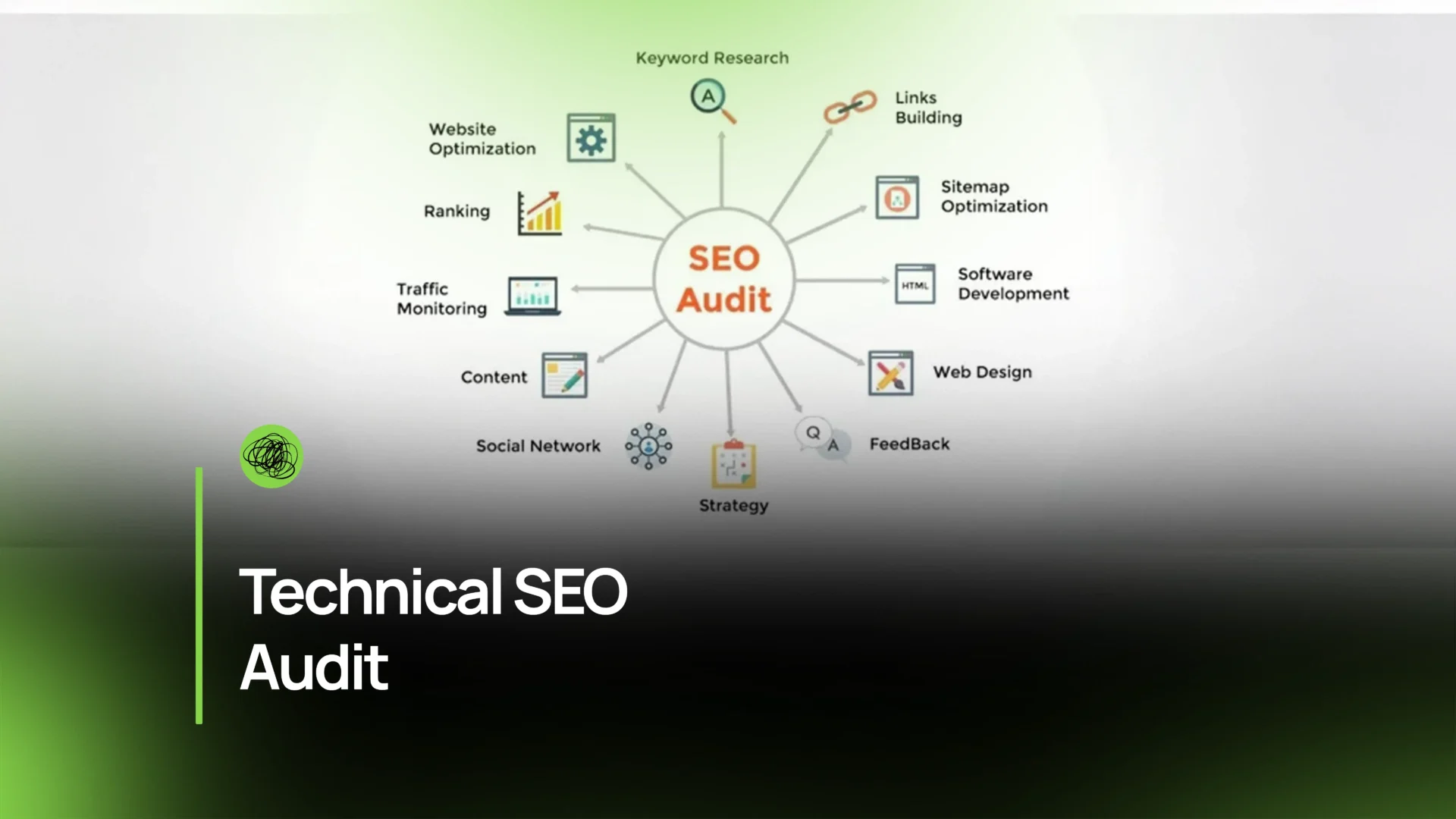

Welcome, brave digital traveler, to the wild frontier of Technical SEO—where code meets creativity, robots meet roadblocks, and Googlebot occasionally gets lost like a tourist without Wi-Fi.
Today’s mission?
A step-by-step, Thinkster-approved, mildly caffeinated walkthrough of the Technical SEO Audit process for 2026.
Why listen to me (the delightful, slightly sarcastic Thinkster voice)?
Because Thinkster doesn’t just do SEO. We debug, deconstruct, and dominate it—with a little swagger and a lot of strategy.
So buckle up. Or don’t—this is digital space; you can float around if you want.
What Is Technical SEO?
While “SEO” gets all the glory (cue the lights, glitter, and confetti), Technical SEO is the unsung hero quietly keeping your website from imploding.
If SEO were a band, Technical SEO is the drummer—rarely noticed, absolutely essential, and furious when ignored.
Technical SEO focuses on:
- How search engines access, understand, and trust your site
- Website infrastructure, performance, crawling, indexing, and security
- Making sure your site is as smooth as butter melting on a pancake
In a nutshell:
Technical SEO = Your website’s behind-the-scenes machinery that powers rankings.
And a Technical SEO Audit is the 10,000-mile tune-up that keeps the machine from catching fire.
Step-by-Step Technical SEO Audit Guide
Grab your digital wrench set. Thinkster’s about to take you under the hood.
1. Setup and Crawl the Site
Before diagnosing anything, you need to see what you’re dealing with—kind of like checking the fridge before deciding what kind of chaos to cook for dinner.
Fire up a crawler, such as Screaming Frog SEO Spider, and let it map the entire website. A full crawl reveals:
- Broken pages
- Duplicate content
- Redirect chains
- Missing metadata
- Canonical issues
- Weird URLs created during your “I’ll fix it later” website redesign
A proper crawl is your X-ray.
Without it, you’re just guessing—and guessing is how websites end up ranking for “blue spaghetti lamp” instead of real keywords.
2. Check Indexing and Coverage
Next up: making sure Google actually knows your website exists.
Head to Google Search Console and check the Index Coverage report. Look for:
- Valid pages
- Excluded pages (the “we don’t like these” section)
- Errors preventing indexing
- Soft 404s
- Pages blocked by robots.txt
If important pages aren’t indexed, they might as well be buried in a digital sock drawer.
Thinkster rule: If Google can’t index it, it can’t rank it. Period.
3. Verify Site Architecture & URL Structure
Your website needs clean, intuitive pathways—like a grocery store that isn’t organized by chaos gremlins.
Check for:
- A logical hierarchy
- Shallow click depth (3 clicks or fewer)
- Consistent folder structures
- Human-friendly URLs
- No random parameter soup (?id=373&z=92&pizza=??)
Good website architecture helps both users and search engines.
Bad architecture makes Googlebot curl up in a corner muttering binary curse words.
4. Analyze XML Sitemaps
Your XML sitemap is a love letter to Google.
It politely says: “Hey, here’s everything important—index this, please!”
Review that sitemap closely:
- Only include indexable pages
- Exclude 404s, redirects, or blocked URLs
- Ensure it’s automatically updating
- Submit it in Google Search Console
- Make sure every strategic page is represented
A messy sitemap = mixed signals.
A clean sitemap = chef’s kiss.
5. Evaluate Site Speed & Core Web Vitals
In 2026, site speed and Core Web Vitals in SEO aren’t just “nice to have”—they’re mandatory.
Use PageSpeed Insights to evaluate:
- LCP (Largest Contentful Paint)
- CLS (Cumulative Layout Shift)
- INP (Input Delay – new in 2024+)
Nobody likes a slow site.
Visitors flee. Rankings drop. Servers cry.
Thinkster Tip:
A fast site makes you look more professional than wearing a blazer during a Zoom call where everyone else is in pajamas.
6. Test Mobile-Friendliness
Most users live on mobile, scrolling at 200 mph with the attention span of a caffeinated squirrel.
Your site MUST:
- Use responsive design
- Avoid tiny text
- Prevent horizontal scrolling
- Keep buttons easily tappable
- Load FAST on mobile networks
If your mobile experience is janky, your rankings will be too.
7. Check HTTPS & Security
Security is sexy.
Nothing says “trust me” like a padlock icon.
Make sure:
- The entire site runs on HTTPS
- Mixed content is eliminated
- Security headers exist
- No sneaky malware, spam, or injections remain
Trust + security = better SEO.
Also: your customers won’t panic and run away.
8. Audit On-Page Technical Elements
This is where technical meets on-page.
Check for:
- Duplicate or missing title tags
- Overly long or weak meta descriptions
- Correct use of H1s (only one per page!)
- Clean internal linking
- Proper canonical tags
- Pagination tags
- Alt attributes on images
On-page technical issues are like potholes—small at first, but they add up and ruin the entire ride.
9. Review Structured Data (Schema)
Structured data makes your pages eligible for rich results—star ratings, FAQs, recipe cards, product data, and more.
Use the Google Structured Data Testing Tool to validate:
- Article schema
- Product schema
- Local Business schema
- FAQ or How-To markup
- Breadcrumb schema
Schema isn’t a ranking factor, but does it boost visibility, click-through rates, and overall flex factor?
Absolutely.
10. Document and Prioritize Fixes
A real technical SEO website audit doesn’t end with findings.
It ends with a MASTER PLAN worthy of a superhero movie montage.
Steps to prioritize:
- Fix anything that breaks crawling/indexing
- Resolve sitewide errors (HTTPS, speed, mobile)
- Repair on-page technical gaps
- Optimize architecture for long-term scalability
- Re-crawl to confirm fixes
- Submit updates to Google
Thinkster Bonus Move: We don’t just fix—we also show you where future fires could start so you stay ahead of the chaos.
Tools for Technical Audits
Let’s talk gear. Think of these tools as your SEO utility belt—minus the uncomfortable spandex.
1. Google Search Console
The holy grail of indexing data.
Use Google Search Console for:
- Index coverage
- Mobile usability
- Page experience reports
- Manual actions
- Search performance
If you’re not using this, you’re basically SEO-ing blindfolded.
2. Screaming Frog SEO Spider
The legendary crawler from Screaming Frog SEO Spider.
Want to see every nook and cranny of your site? This is your new best friend.
It helps with:
- Broken links
- Redirect mapping
- Duplicate content
- JavaScript crawling
- Canonical analysis
- Meta audits
It’s as close as you can get to crawling your site with superpowers.
3. Semrush or Ahrefs
Both platforms—Semrush and Ahrefs—give you insights into:
- Backlinks
- Keyword gaps
- Site audits
- Competitor analysis
- Toxic links
- Content opportunities
Pick your fighter. They’re both industry titans.
4. PageSpeed Insights
Use PageSpeed Insights to reveal everything speed-related that Google loves… and hates.
It’s brutally honest—but honesty is great for rankings.
5. Google Structured Data Testing Tool
The Google Structured Data Testing Tool makes sure your schema markup isn’t secretly broken behind the scenes.
Because broken schema is like writing a love note but forgetting to sign your name—no one knows it’s from you.
Why Thinkster Is Your Technical SEO Co-Pilot
Let’s be real:
You can do a Technical SEO Audit yourself…
…just like you can cut your own hair.
But should you?
Well, how much chaos can you tolerate?
Thinkster brings:
- Deep technical expertise
- A proven audit framework
- Custom SEO Services designed for growth
- A team that actually speaks human, not just HTTP
- Tools, talent, and a dash of quirky brilliance
We don’t just fix problems—we elevate your entire digital foundation.
Your future rankings will thank you.
Conclusion
A Technical SEO Audit in 2026 is no longer optional—it’s essential.
Search engines are smarter. Users are faster. Competition is fiercer.
The websites that win are the ones built on a flawless technical foundation.
And with Thinkster by your side?
You’re not just competing—you’re dominating.
FAQs
1. What is a technical SEO site audit?
A technical SEO site audit is a comprehensive review of your site’s infrastructure—crawling, indexing, performance, security, architecture, and more—to ensure search engines can access and understand your content.
2. Why is a technical SEO audit important?
Because Google can’t rank what it can’t properly crawl or interpret.
A technical audit removes barriers, boosts site performance, and sets the stage for long-term SEO success.
3. How long does a technical SEO audit take?
Anywhere from a few days to several weeks depending on site size, complexity, and issues discovered. Big sites = big adventures.
4. What is the difference between technical SEO and on-page SEO?
- Technical SEO focuses on backend infrastructure, performance, crawling, and indexing.
- On-page SEO focuses on content, keywords, and optimization elements visitors see.
Both matter. Together, they’re unstoppable.
5. Is technical SEO only for large websites?
Nope. Small sites need it too.
Technical issues can derail SEO at any size—Thinkster sees this every day.