

So, you’ve heard the term WordPress Development, maybe while overhearing tech folks at a café passionately debating themes… or while silently judging your friend who still uses a website that looks like it was built during the dial-up era. Either way, welcome—because today we’re going on a Thinkster-approved, caffeine-powered tour through the wonderful world of WordPress.
By the end of this guide, you’ll know:
- What WordPress development actually is
- Why everyone from bloggers to billion-dollar brands uses it
- What skills devs need to build WordPress magic
- Whether you should choose Custom Website Design or just slap on a template
- Why Thinkster is basically the superhero version of a WordPress development agency
Grab your digital passport. Let’s begin.
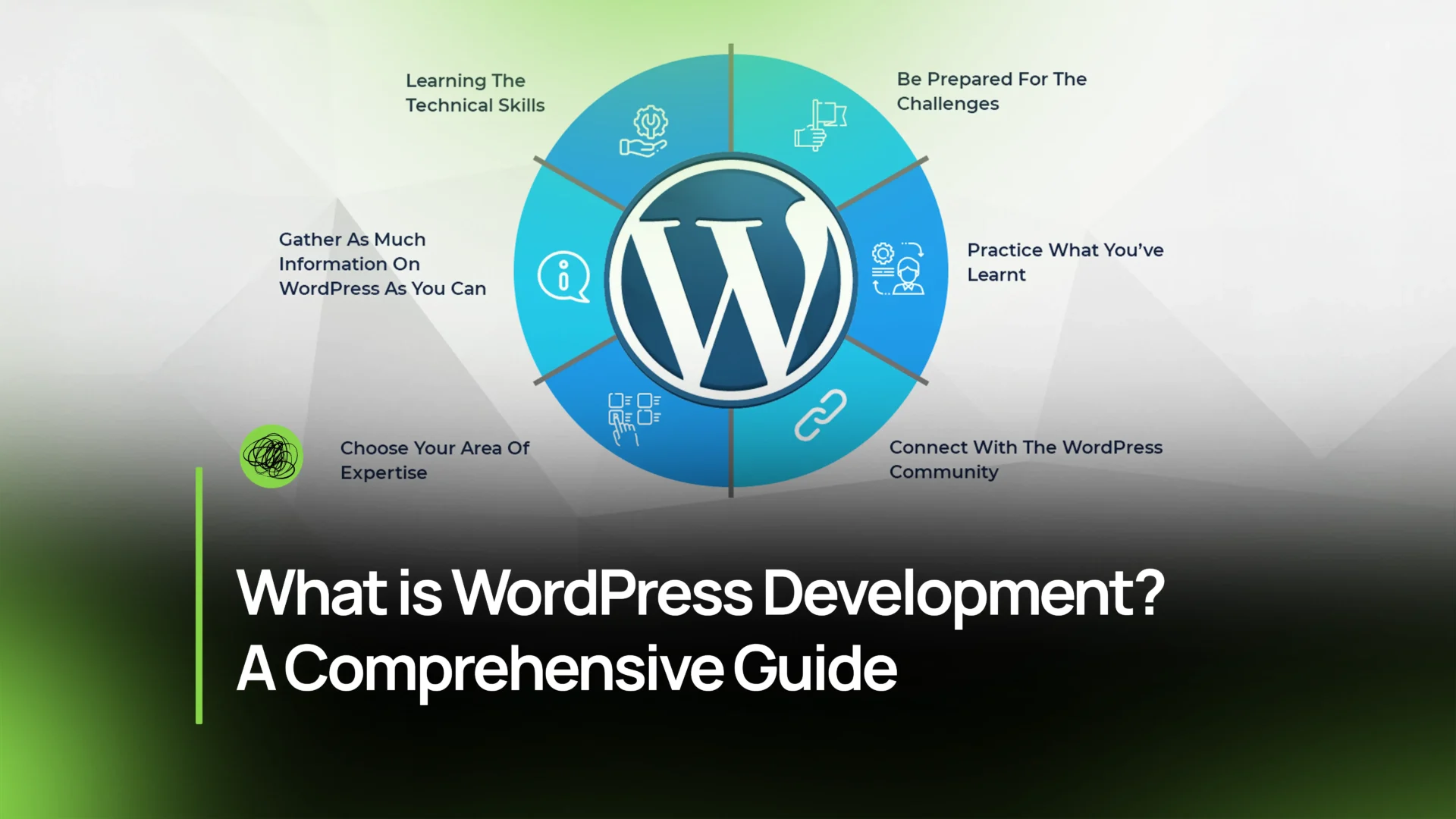
What is WordPress Development?
Imagine WordPress as the Lego set of the internet—except instead of stepping painfully on bricks at 2 AM, you get to build flexible, scalable, “look-mom-I-made-a-website!” masterpieces.
WordPress Development refers to the process of building, maintaining, and scaling websites using the WordPress CMS.
Before we go further: What is a CMS?
A CMS (Content Management System) is software that lets you publish, edit, manage, and maintain content online without needing to code like you’re auditioning for a hacker movie. WordPress is the most popular CMS on the planet—powering over 40% of the internet.
When you hear terms like WordPress website development, WordPress website design, or WordPress development agency, they all generally refer to the art and science of using WordPress to create websites that are functional, fast, and fabulous.
From blogs to business sites, from online stores to membership communities—WordPress can do it all.
Key Components of WordPress Development
WordPress Development isn’t just clicking pretty buttons in the dashboard (though that part is satisfying). It’s a blend of design, code, strategy, and functionality—kind of like cooking, but with less garlic and more PHP.
Let’s break down the essentials.
Themes
Think of themes as your website’s wardrobe—its overall look, energy, and vibe.
Themes handle:
- Layout
- Fonts
- Color schemes
- Page templates
- Functionality patterns
You can use:
- Free themes (good for hobbyists)
- Premium themes (good for people who like shiny things)
- Custom themes (good for people who want their website to feel like a tailored Italian suit)
If you’re debating Custom Website Design vs Template, here’s the scoop:
Templates are fast and budget-friendly, but custom design gives you brand brilliance, scalability, and uniqueness. (And Thinkster may or may not create custom designs that could make your competitors cry a little.)
Plugins
If themes are clothes, plugins are gadgets—like giving your website night vision goggles, laser eyes, or the ability to book appointments at 3 AM.
Want SEO tools? There’s a plugin.
Want eCommerce functionality? Plugin.
Want some oddly specific feature only 12 people on Earth need? Probably still a plugin.
Plugins help with:
- Forms
- Security
- Payment processing
- Membership systems
- Chat widgets
- Backups
- Speed optimization
Pro tip: Don’t install everything you find. Plugin hoarding slows your site faster than a sloth ordering coffee.
Custom Post Types
WordPress defaults to “Posts” and “Pages”—but what if your site needs “Projects,” “Team Members,” “Recipes,” or “Spaceships”?
That’s where Custom Post Types (CPTs) come in.
They allow developers to create structured, organized content unique to your business—especially useful for Custom Website Design or large websites with robust Website Architecture.
API Integrations
This is where WordPress becomes fluent in other digital languages.
APIs allow WordPress to connect with:
- CRMs
- Marketing tools
- Payment processors
- Data systems
- Social media apps
In short: API integrations turn your site into a connected, automated, turbocharged experience—something Thinkster does with ridiculous precision.
WordPress Development Technical Skills Required
Yes, you can build a WordPress site without coding. But if you want something powerful, custom, and future-proof, you’ll want developers with these skills:
1. PHP
PHP is the main language behind WordPress.
If WordPress were Harry Potter, PHP would be the actual magic wand.
Developers use PHP to:
- Build themes
- Create plugins
- Customize WordPress core features
- Build dynamic content
Without PHP, WordPress is basically a decorative paperweight.
2. HTML & CSS
HTML is the skeleton.
CSS is the hair, makeup, fashion sense, and general swagger.
These control:
- Layout
- Buttons
- Typography
- Animations
- Colors
- Page structure
When someone asks, “Is WordPress CSS or HTML?” the answer is: both—and much more.
3. JavaScript
JavaScript = interactivity.
If you’ve ever clicked a button and something magical happened, that’s JavaScript at work.
Modern WordPress also uses:
- React (for Gutenberg editor)
- Node.js (for headless setups)
Any developer worth their salt knows JavaScript like chefs know salt.
4. MySQL/MariaDB
These databases store your:
- Pages
- Posts
- Settings
- Plugin data
- User accounts
Without MySQL/MariaDB:
- You can’t store content
- You can’t retrieve content
- You can’t run your site
- Basically, nothing works
It’s the memory bank of your website.
Current Trends in WordPress Development
The world of WordPress moves fast—kind of like a toddler after sugar. Here’s what’s trending right now.
E-commerce Integration
Thanks to WooCommerce, WordPress has become a titan of ecommerce website development.
Trends include:
- Fast checkout
- AI product recommendations
- Subscriptions
- Headless eCommerce
- Personalized customer journeys
If you want a store that sells while you sleep, Thinkster’s eCommerce team has your back.
Mobile Optimization
More than half of visitors browse on mobile.
If your site isn’t mobile-friendly… well, people will bounce harder than a toddler on a trampoline.
Modern WordPress development focuses on:
- Responsive design
- Fast mobile loading
- Mobile-first layouts
- App-like functionality
Security Enhancements
Security is hotter than ever (for the wrong reasons—thanks, cybercriminals).
Trends include:
- Two-factor authentication
- Firewalls
- Automated backups
- Malware scanning
- Hardening WordPress core
A good WordPress development agency takes security VERY seriously (Thinkster included).
SEO Optimization
SEO is no longer just adding keywords like confetti. Modern WordPress SEO trends include:
- Schema markup
- Core Web Vitals
- AI-driven content structure
- Image optimization
- SEO-ready website architecture
When done right, SEO is the difference between “hello world” and “hello, page one of Google.”
Headless WordPress
This is the cool, futuristic cousin of traditional WordPress.
Headless means:
- WordPress stores content
- A separate front-end framework (like React, Vue, or Next.js) displays it
Benefits include:
- Faster load times
- Greater design freedom
- App-like experiences
- Higher scalability
Thinkster developers absolutely geek out over headless builds—and the results show.
Conclusion
So now you know the answer to: What is WordPress Development?
It’s the combination of design, development, functionality, strategy, and ongoing optimization that transforms WordPress from a simple CMS into a business-scaling machine.
From Custom Website Design and plugin development to technical SEO and Website Migration Services, WordPress development gives brands the ability to grow, automate, and evolve online.
And when you pair WordPress with the right partner—say, ahem, Thinkster—you get a digital experience that’s fast, functional, and fabulous enough to turn website visitors into lifelong fans.
FAQs
1. What language is used in WordPress development?
Primarily PHP, with support from HTML, CSS, JavaScript, and MySQL/MariaDB for database management.
2. Is WordPress CSS or HTML?
It uses both—plus PHP and JavaScript. Think of WordPress as a recipe with many delicious ingredients.
3. Is WordPress harder than coding?
Nope. WordPress lets you build without code, but advanced features require development skills. It’s easier than coding from scratch but more powerful when a developer gets involved.
4. Do I need custom WordPress development or is a theme enough?
Themes are great for quick launches.
Custom WordPress development is ideal when you want:
- Unique branding
- Custom functionality
- High performance
- Scalability
- Professional UX
If your business is more than a hobby—go custom.
5. Why Choose Thinkster for WordPress Development?
Thinkster isn’t just a WordPress development agency—we’re your long-term digital growth partner. We help with:
- WordPress website design
- WordPress website development
- Custom Website Design
- Website Migration Services
- SEO optimization
- Performance tuning
- eCommerce development
- Strategic Website Architecture
We don’t just build websites.
We build digital ecosystems engineered to wow your customers and grow your revenue.
If you want a WordPress site that’s fast, functional, stylish, secure, and so smooth it practically winks at your audience—Thinkster is the team for you.